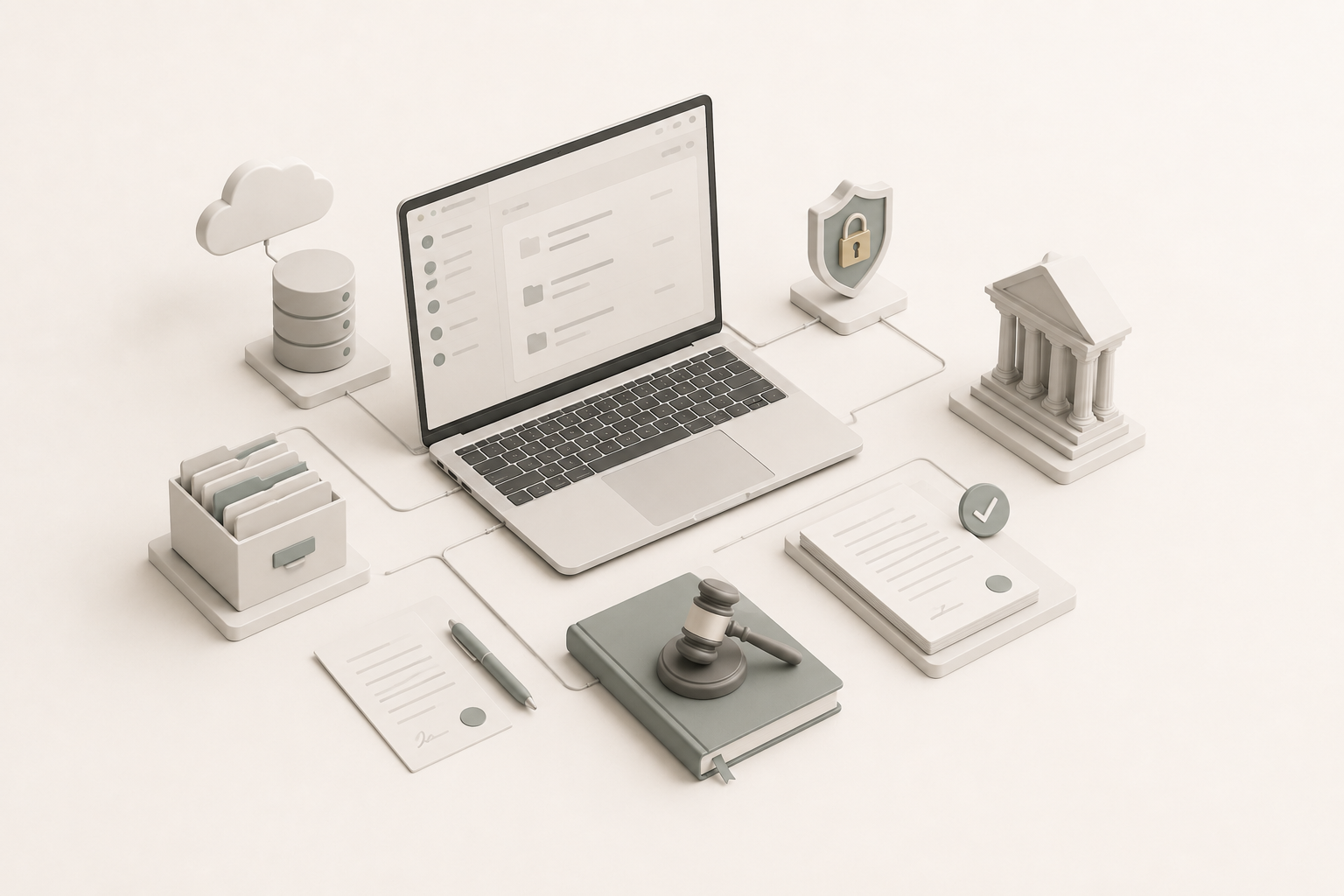
A law firm asked me to move its practice off shared spreadsheets, Word templates and email attachments and onto a real case management system. Tracking cases was the easy part. The hard part was making sure two cases in the same firm, even on opposing sides of a matter, never leak a single row into each other: attorney-client privilege, enforced in a relational schema and a permission system.
In legal software, one cross-case leak costs more than every other bug combined. This post walks through how I built it as the sole engineer: access based on case membership and enforced twice, a deny-by-default client portal, document automation from versioned templates, and a deliberately boring AWS setup. You get the model, the reasoning, and small Laravel examples you can adapt.
Background
Where the firm started
When the firm called me in, the entire practice ran on three things:
shared spreadsheets in a cloud drive, a forest of Word templates
named final_v3_REAL.docx, and email threads carrying
attachments back and forth with clients. Cases lived in heads and
inboxes. Deadlines lived in someone's calendar, maybe.
The brief was small in words and large in scope: get the firm onto a real system. Track cases. Generate documents without retyping client details. Let clients see their own case status without a phone call. Run it on AWS for trust reasons. Don't break anything during the rollout.
Constraints that shaped every decision
The non-negotiables drove the design more than the feature list did.
- Attorney-client privilege. Two cases in the same firm, on opposing sides of a regulatory matter, cannot bleed data into one another. Not in search results, not in document references, not in recently-viewed lists, not anywhere.
- Single tenant by default. The firm wanted their data on their own infrastructure, not shared with anyone else's. That ruled out off-the-shelf multi-tenant SaaS and set the AWS layout.
- Solo build. No team, no on-call rotation. Anything I shipped had to be operable by one person, and recoverable by them.
- Daily use from day one of rollout. No staging-only periods. The firm needed to keep practicing law while we migrated.
Ownership versus membership
Most web apps answer "who can see this row?" with an owner: one user column on the record. That works when one person owns one thing. In a law firm, several people are legitimately attached to every case, each in a different role, so access has to follow membership in the case, not ownership of a row.
Laravel gives you two places to enforce that. A query scope limits which rows a query can return at all. A policy answers yes or no for one specific record. This build uses both, on purpose.
A deliberately boring architecture
One Laravel monolith serving Vue pages through Inertia.js, with a queue worker for document generation. A managed MySQL database that is not reachable from the public internet. Object storage for documents, encrypted at rest. A transactional email service. All of it on AWS, all of it single-tenant.
No microservices, no Kubernetes, no Redis cluster. A monolith was the right answer for a sole engineer running a firm-sized workload.
The document automation engine
Half the pain at the firm was retyping the same client name, case number, court details, and dates into ten different documents. Document automation is what gets a legal platform off the ground.
The core idea is simple: documents are templates with named placeholders, rendered against a case context. The surface area is small, but the failure modes are nasty in legal work, a wrong court address on a pleading is not just embarrassing.
Templates as data, not as files
Templates are stored as versioned records. When an attorney edits a template, the old version is not overwritten, a new version is added. Every generated document records the exact template version it was rendered from. If we ever need to ask "what did we send last June?", the answer is reproducible.
// Illustrative sketch, names simplified
function renderTemplate(string $body, array $context): string
{
    return preg_replace_callback(
        '/\{\{\s*([a-z0-9_.]+)\s*\}\}/i',
        fn ($m) => Arr::get($context, $m[1], '«missing:'.$m[1].'»'),
        $body
    );
}
The «missing» sentinel is intentional. A silently-blank
field on a legal document is worse than an obviously-broken one.
Reviewers catch the angle brackets immediately.
Generation pipeline
When a document is requested, the request is queued, rendered to DOCX, then archived to object storage. The case references the generated artifact rather than embedding it. Documents become first-class entities with their own access rules, audit trail, and download history.
Access control under attorney-client privilege
The interesting problem on this build wasn't the documents, it was the access model. The naïve approach is to stamp an owner on every row and call it a day. That model is wrong for a law firm.
A case has multiple people legitimately attached to it: a lead attorney, an associate, a paralegal, the client. Each role sees a different surface. The client must never see internal billing notes. The associate must never see cases they were not assigned to. Searches and "recently viewed" lists must respect the case membership boundary, not just per-record permissions.
Membership over ownership
I built it around case membership: people are attached to a case with a role, and every read query that touches case-scoped data is constrained by that membership. The authorization policy layer enforces the same rule again at the record level. The two enforcement points back each other up, if one is bypassed, the other still holds the line.
// Illustrative sketch, identifiers renamed
// 1. Query level: only rows from matters the user belongs to.
public function scopeAccessibleBy(Builder $query, User $user): Builder
{
    return $query->whereHas('matter.participants', fn ($p) => $p->whereKey($user->getKey()));
}

// 2. Record level: the same rule, checked again.
public function view(User $user, Document $document): bool
{
    return $document->matter->participants->contains($user);
}
Every search, list, and report path applies the membership scope explicitly. There is no global scope on the model, global scopes are easy to forget when writing a raw query during a hot fix. An explicit scope on every read is ugly and safe. I chose ugly and safe.
Client portal as a different surface
The client portal isn't a smaller version of the attorney UI, it is a different surface that happens to read from the same database. Clients sign in through a separate authentication path, and their access is deny-by-default: a record is visible to a client only if it has been explicitly marked as client-visible.
Whitelisting visibility, not blacklisting it, was the design principle I trusted most. Forgetting to hide something is a much easier bug to write than forgetting to expose something.
AWS infrastructure decisions
Why a monolith on a single server
Tempting alternative architectures for a 2026 portfolio piece: ECS Fargate, Lambda for document generation, ElastiCache, a queue on SQS, observability on CloudWatch Logs Insights. All defensible. None of them were the right call here.
The firm's workload is a small number of concurrent users and a modest volume of background document generation. A single appropriately-sized server handles it with headroom. ECS would have added control-plane operations I did not want to run alone. Lambda would have added cold-start variance on document generation that the firm would feel. The monolith is boring; the monolith ships.
What I did invest in
- Automated database backups with point-in-time recovery. The cost is small. The peace of mind is large.
- Versioned document storage. A deleted or overwritten document is recoverable.
- Secrets off the disk. Nothing sensitive lives in a config file on the server or in the repository. Secrets come from a managed secret store at deploy time.
- Download links scoped to one case. Signed download links are issued only after the membership check and only cover that case's documents. A leaked link still cannot reach another case.
What broke, or surprised me
Templates are software, not content
I shipped the first version of templates editable as freeform rich text. Attorneys promptly typed their own hand-made name and date markers into the text, alongside the real placeholder tokens. Renders looked correct until they didn't. The fix was a template-authoring UI that inserts placeholders as visual chips, not as raw text. Templates had become software, they needed an authoring environment, not a text box.
Mobile portal usage was far higher than I assumed
The client-side traffic skewed heavily toward phones. The original portal was responsive but designed for the desktop case detail first. Early after launch I rebuilt the mobile portal around a short single-column flow with case status, latest documents, and a message-attorney button, three taps from the home screen to anything that mattered.
Document download spikes
Periodic bulk exports pulled a burst of large documents at once. The first version streamed them through the Laravel app. After watching the app server sweat, I moved downloads to short-lived signed storage URLs, issued only after the requesting user's case membership is checked. The app issues the URL, object storage serves the bytes. The app's job is authorization, not file delivery.
Design decisions
The interface choices on this build came straight out of the constraints and the surprises above.
-
The portal is its own surface
Clients get a separate sign-in and a separate UI, not a trimmed attorney screen. Nothing is visible to them unless a record is explicitly marked client-visible.
-
Phone first for clients
Once usage showed clients mostly on phones, the portal became one short column: case status, latest documents, and a message-attorney button, three taps from home.
-
Placeholders as chips
Attorneys typed their own hand-made name markers into the rich text. The template editor now inserts placeholders as visual chips, so a template cannot hold a token the engine does not know.
-
Loud failures on documents
A missing field renders as
«missing»instead of a blank. A broken-looking document gets caught in review; a quietly empty one gets filed.
Practical examples
Simplified example. The snippets below are generic Laravel code
showing the techniques from this post, with neutral names. They are
not the production code or schema. case is a reserved
word in PHP, so a legal case is called a Matter here.
1. Model membership and scope every read
use Illuminate\Database\Eloquent\Builder;
use Illuminate\Database\Eloquent\Model;
use Illuminate\Database\Eloquent\Relations\BelongsTo;
use Illuminate\Database\Eloquent\Relations\BelongsToMany;

class Matter extends Model
{
    // People attached to the matter, each with a role on the pivot.
    public function members(): BelongsToMany
    {
        return $this->belongsToMany(User::class)->withPivot('role');
    }
}

class Document extends Model
{
    public function matter(): BelongsTo
    {
        return $this->belongsTo(Matter::class);
    }

    // Only documents from matters the user is a member of.
    public function scopeVisibleTo(Builder $query, User $user): Builder
    {
        return $query->whereHas(
            'matter.members',
            fn (Builder $members) => $members->whereKey($user->getKey())
        );
    }
}
2. Check the same rule again with a policy
class DocumentPolicy
{
    public function view(User $user, Document $document): bool
    {
        return $document->matter->members()->whereKey($user->getKey())->exists();
    }
}

// In a controller
public function index(Request $request)
{
    return Inertia::render('Documents/Index', [
        'documents' => Document::visibleTo($request->user())->latest()->paginate(20),
    ]);
}

public function show(Document $document)
{
    Gate::authorize('view', $document);

    return Inertia::render('Documents/Show', ['document' => $document]);
}
Expected result: a user who is not a member of the matter never
sees the document in the list, and opening it directly returns
403 Forbidden.
3. Make the client portal deny-by-default
// Migration: nothing is client-visible until someone says so.
$table->boolean('client_visible')->default(false);

// Document model
public function scopeClientVisible(Builder $query): Builder
{
    return $query->where('client_visible', true);
}

// Client portal query: membership AND explicit visibility.
$documents = Document::visibleTo($client)->clientVisible()->latest()->get();
4. Let missing template fields fail loudly
$body = 'Dear {{ client.name }}, your hearing is set for {{ hearing.date }}.';

echo renderTemplate($body, ['client' => ['name' => 'Jane Doe']]);
Expected output, using the renderTemplate() function shown earlier:
Dear Jane Doe, your hearing is set for «missing:hearing.date».5. Authorize first, then hand off the download
public function download(Document $document)
{
    Gate::authorize('view', $document);

    return redirect()->away(
        Storage::disk('s3')->temporaryUrl($document->path, now()->addMinutes(5))
    );
}
Common mistakes
- Stamping an owner on every row and calling that the access model.
- Relying only on a global scope. A raw query written during a hot fix skips it without any warning.
- Checking access on the detail page but forgetting search, "recently viewed" lists, exports and reports.
- Hiding things from clients one by one instead of exposing only what is explicitly marked client-visible.
- Rendering a missing template field as an empty string.
- Editing templates in place, so you can no longer reproduce a document that was already sent.
- Streaming large downloads through the app server instead of letting object storage serve them.
Best practices
- Enforce access twice: an explicit membership scope on every read, and a policy on every record.
- Make anything client-facing deny-by-default.
- Version templates and store which version each document was rendered from.
- Issue short-lived signed download URLs only after the membership check.
- Keep secrets out of config files and the repository; load them from a managed secret store at deploy time.
- Prefer the boring architecture you can run alone over the impressive one you can't.
Conclusion
The hardest parts of this build were not the parts I could anticipate from a feature list. They were the access model, the template authoring problem, and the small infrastructure choices that decide whether a platform stays operable by one person. Those problems were worth more on this build than any framework choice.
The takeaway: when software holds privileged data, model access around membership, enforce it twice, make the client side deny-by-default, and let document failures be loud. A good next step is to list every search, list and report query in your own app and confirm each one applies an explicit access scope.
What it does today
- Active daily use across the firm, attorneys, paralegals, and the firm's clients.
- Case tracking with status, deadlines, and a per-case timeline.
- Document automation generating standard pleadings, contracts, and client correspondence from versioned templates.
- Client portal with case status, document downloads, and direct messaging to the assigned attorney.
- Audit trail of who viewed, edited, or downloaded what, visible to firm administrators.
The spreadsheet workflow is retired. The firm has not asked to go back.
What I'd do differently next time
- Filament admin from day one. I built the internal admin screens by hand. Filament would have given the firm a self-service surface for managing users, roles, and lookup tables without me. Cheap leverage I left on the table.
- Horizon for the queue. The simple queue setup is fine at this scale, but I would not bet on it scaling with the firm. Redis plus Horizon gives me visibility and back-pressure I currently squint at logs to find.
- Tenant-ready data model on day one. The schema is single-tenant by design. If another firm ever wants the same platform, I would re-derive the membership model with a tenant boundary up front rather than retrofit it.
- An export feature, properly. The bulk export story still feels like a feature waiting for a real specification.
References and further reading
- Laravel documentation: Authorization (gates and policies)
- Laravel documentation: Eloquent query scopes
- Laravel documentation: Eloquent relationships
- Laravel documentation: File storage and temporary URLs
- Laravel documentation: Queues
- Laravel documentation: Horizon
- Filament documentation
- Inertia.js documentation
- Vue.js guide
- Amazon S3 documentation
- Amazon RDS documentation
- OWASP Authorization Cheat Sheet
- Related on this site: How to build a secure multi-campus file platform with Laravel and Go
- Related on this site: How to digitize paper personnel records with Laravel and move a team from FTP to Git